.webp)
.webp)
Australia Immi App Expansion 2026: How to submit biometrics via smartphone from any country.
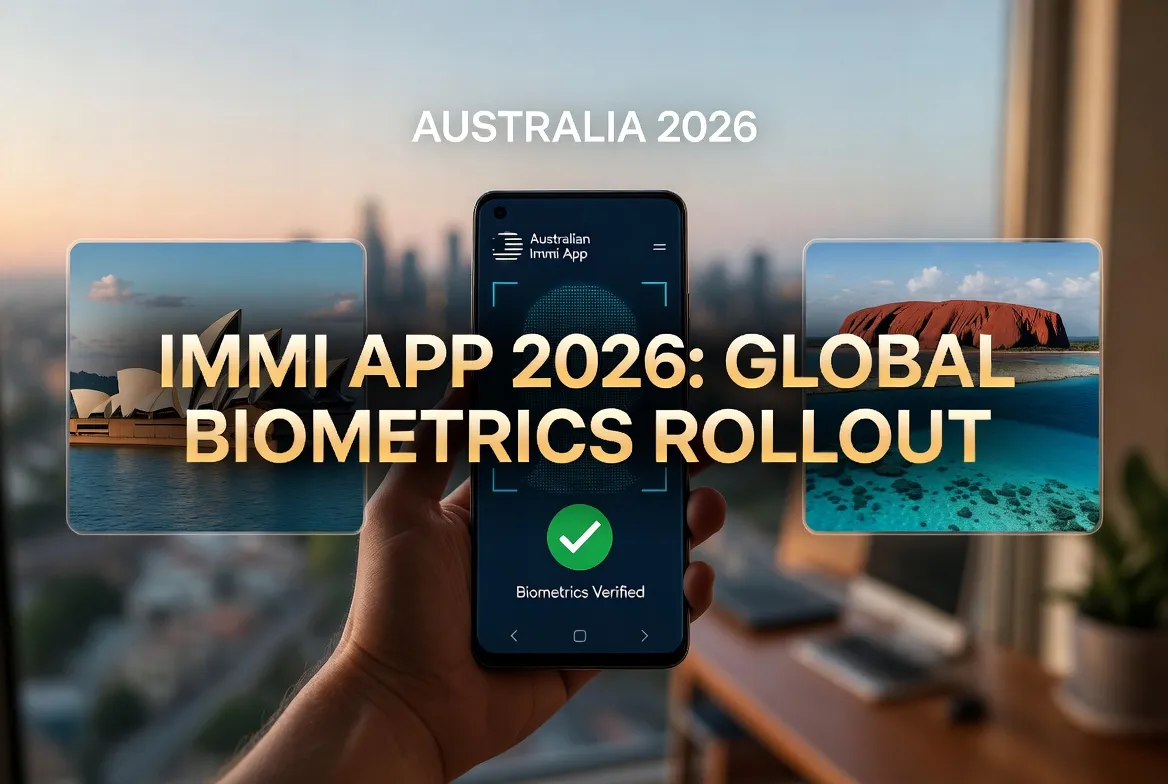
Australia Immi App Expansion 2026: How to Submit Biometrics via Smartphone from Any Country
In a groundbreaking advancement for digital immigration services, the Australian Department of Home Affairs has expanded its Immi App in 2026 to enable visa applicants worldwide to submit biometrics directly via smartphone—eliminating the need to visit an Australian Visa Application Centre (AVAC) or Visa Application Centre (VAC) in person for many visa categories. This transformative update represents one of the most significant innovations in Australian immigration processing in decades, offering unprecedented convenience, faster processing times, and enhanced accessibility for applicants regardless of their geographic location.
For travelers, students, skilled workers, and families seeking to visit or migrate to Australia, the ability to complete biometric enrollment from anywhere with a compatible smartphone removes a major logistical barrier. No longer must applicants in remote regions, countries without Australian visa centres, or those with mobility challenges undertake costly and time-consuming travel to provide fingerprints and facial images. Instead, with a few taps on their phone, they can securely capture and submit the biometric data required for visa assessment.
This comprehensive guide explains everything you need to know about Australia's smartphone biometrics feature in the Immi App: which visa types and nationalities are eligible, technical requirements for your device, step-by-step submission instructions, security and privacy protections, troubleshooting tips, and how this new capability compares to traditional in-person biometrics collection. Whether you're applying for a tourist visa from Southeast Asia, a student visa from South America, or a skilled migration visa from Europe, this article equips you to leverage this innovative service with confidence.
Understanding the Expansion: What Changed in 2026
To appreciate the significance of this update, it's essential to understand the previous biometrics process and what has evolved.
Previous Biometrics Process (Pre-2026):
- In-Person Requirement: Most visa applicants from specified countries were required to visit an Australian Visa Application Centre (AVAC) operated by third-party providers like VFS Global or TLScontact
- Biometrics Collected: Digital fingerprints (all 10 fingers) and facial photograph captured by trained staff using certified equipment
- Geographic Limitations: Applicants in countries without AVACs faced significant travel burdens to neighboring countries
- Processing Delays: Scheduling appointments and traveling to centres could add weeks to application timelines
- Cost: Biometrics service fees (typically AUD $85-150) paid in addition to visa application charges
- 👉 Nauru Airlines 2026 Expansion: New direct flights connecting Suva, Nadi, and Tarawa.
- 👉 Photography Tips for Capturing Funafuti Atoll Sunset Updated 2026
- 👉 Exploring Swallows Cave Best Kayaking Spots Vava'u Tonga
2026 Immi App Expansion: Key Changes
- Remote Biometrics: Eligible applicants can now capture and submit facial images and fingerprints using their smartphone's camera and sensors via the Immi App
- Global Accessibility: Available to applicants in most countries worldwide, regardless of AVAC presence
- Integrated Workflow: Biometrics submission occurs within the same Immi App used for visa applications, creating a seamless digital experience
- AI-Powered Validation: Advanced artificial intelligence verifies image quality, liveness detection, and biometric integrity in real-time
- Enhanced Security: End-to-end encryption, secure enclave storage, and compliance with international biometric standards (ISO/IEC 19794)
- 👉 Nauru Airlines 2026 Expansion: New direct flights connecting Suva, Nadi, and Tarawa.
- 👉 Photography Tips for Capturing Funafuti Atoll Sunset Updated 2026
- 👉 Exploring Swallows Cave Best Kayaking Spots Vava'u Tonga
Why This Change?
Australia's decision to expand smartphone biometrics reflects strategic priorities:
- Digital Transformation: Aligning with Australia's Digital Government Strategy to deliver services online first
- Applicant Experience: Reducing friction, cost, and time for visa applicants globally
- Processing Efficiency: Faster biometrics submission enables quicker visa assessments and decisions
- Equity and Access: Ensuring applicants in remote or underserved regions aren't disadvantaged
- Post-Pandemic Adaptation: Building on lessons from contactless service delivery during global health crises
- Competitive Positioning: Matching or exceeding digital capabilities offered by other major destination countries
- 👉 Nauru Airlines 2026 Expansion: New direct flights connecting Suva, Nadi, and Tarawa.
- 👉 Photography Tips for Capturing Funafuti Atoll Sunset Updated 2026
- 👉 Exploring Swallows Cave Best Kayaking Spots Vava'u Tonga
Eligibility: Who Can Use Smartphone Biometrics in 2026?
While the feature is expansive, eligibility depends on visa type, nationality, and individual circumstances.
Eligible Visa Categories (2026):
The following visa subclasses generally support smartphone biometrics submission via Immi App:
- Visitor Visas: Subclass 600 (Tourist, Business Visitor, Sponsored Family), Subclass 601 (Electronic Travel Authority), Subclass 651 (eVisitor)
- Student Visas: Subclass 500 (Student), Subclass 590 (Student Guardian)
- Temporary Work Visas: Subclass 482 (Temporary Skill Shortage), Subclass 407 (Training), Subclass 408 (Temporary Activity)
- Working Holiday Visas: Subclass 417 (Working Holiday), Subclass 462 (Work and Holiday)
- Partner Visas: Subclass 309/100 (Partner), Subclass 820/801 (Partner onshore) - partial eligibility
- Some Skilled Migration Visas: Subclass 189, 190, 491 - eligibility expanding through 2026
- 👉 Nauru Airlines 2026 Expansion: New direct flights connecting Suva, Nadi, and Tarawa.
- 👉 Photography Tips for Capturing Funafuti Atoll Sunset Updated 2026
- 👉 Exploring Swallows Cave Best Kayaking Spots Vava'u Tonga
Nationality Considerations:
- Broad Coverage: Available to passport holders from most countries, including those previously required to travel for biometrics
- Restricted Nationalities: Applicants from certain high-risk countries may still require in-person verification (check Immi App for real-time eligibility)
- Dynamic Assessment: Eligibility is assessed individually based on risk profile, travel history, and application details
- 👉 Nauru Airlines 2026 Expansion: New direct flights connecting Suva, Nadi, and Tarawa.
- 👉 Photography Tips for Capturing Funafuti Atoll Sunset Updated 2026
- 👉 Exploring Swallows Cave Best Kayaking Spots Vava'u Tonga
Technical Eligibility Requirements:
- Compatible Device: Smartphone meeting minimum specifications (detailed below)
- Immi App Version: Latest version installed from official app stores (Apple App Store or Google Play)
- Internet Connection: Stable broadband or 4G/5G connection for uploading biometric data
- Account Status: Active ImmiAccount linked to pending visa application requiring biometrics
- Age Requirements: Applicants aged 10+ generally eligible; children under 10 typically exempt from biometrics
- 👉 Nauru Airlines 2026 Expansion: New direct flights connecting Suva, Nadi, and Tarawa.
- 👉 Photography Tips for Capturing Funafuti Atoll Sunset Updated 2026
- 👉 Exploring Swallows Cave Best Kayaking Spots Vava'u Tonga
How to Check Your Eligibility:
- Log in to your ImmiAccount via web portal or Immi App
- Navigate to your pending visa application
- Look for "Biometrics" section or notification
- If eligible, you'll see option: "Submit biometrics via smartphone"
- If not eligible, instructions for in-person collection at AVAC/VAC will be provided
Important Note: Eligibility can change based on policy updates, security assessments, or individual application factors. Always verify your status within the Immi App before attempting submission.
Technical Requirements: Ensuring Your Smartphone Is Ready
Successful biometrics submission depends on having a compatible device and proper setup.
Minimum Device Specifications:
| Requirement | iOS (iPhone) | Android |
|---|---|---|
| Operating System | iOS 15.0 or later | Android 10.0 or later |
| Camera | Front-facing camera 8MP+ with autofocus | Front-facing camera 8MP+ with autofocus |
| Fingerprint Sensor | Touch ID or Face ID capable device | In-display or rear fingerprint sensor, or Face Unlock |
| Storage | 500MB free space minimum | 500MB free space minimum |
| RAM | 3GB+ recommended | 3GB+ recommended |
| Connectivity | WiFi or 4G/5G mobile data | WiFi or 4G/5G mobile data |
Recommended Setup for Best Results:
- Lighting: Well-lit environment with even, natural light; avoid backlighting or harsh shadows
- Background: Plain, light-colored wall or backdrop for facial capture
- Stability: Use tripod, stand, or stable surface to minimize motion blur
- Battery: Ensure device has at least 30% charge or is plugged in during submission
- Updates: Install latest Immi App version and OS updates before starting
- 👉 Nauru Airlines 2026 Expansion: New direct flights connecting Suva, Nadi, and Tarawa.
- 👉 Photography Tips for Capturing Funafuti Atoll Sunset Updated 2026
- 👉 Exploring Swallows Cave Best Kayaking Spots Vava'u Tonga
App Installation and Permissions:
- Download Immi App: Search "Immi Australia" in Apple App Store or Google Play; verify publisher is "Australian Department of Home Affairs"
- Grant Permissions: Allow camera, microphone (for liveness detection), storage, and biometric authentication when prompted
- Link ImmiAccount: Sign in with existing credentials or create new account within app
- Enable Notifications: Allow push notifications for submission confirmations and status updates
Pre-Submission Checklist:
- ✓ Remove glasses, hats, or face coverings (unless religious/cultural exemption applies)
- ✓ Ensure face is fully visible with neutral expression
- ✓ Clean camera lens and fingerprint sensor
- ✓ Close other apps to optimize performance
- ✓ Test internet speed (minimum 5 Mbps upload recommended)
- 👉 Nauru Airlines 2026 Expansion: New direct flights connecting Suva, Nadi, and Tarawa.
- 👉 Photography Tips for Capturing Funafuti Atoll Sunset Updated 2026
- 👉 Exploring Swallows Cave Best Kayaking Spots Vava'u Tonga
Step-by-Step Guide: Submitting Biometrics via Immi App
Follow these detailed instructions to successfully capture and submit your biometrics.
Step 1: Initiate Biometrics Submission
- Open Immi App and log in to your ImmiAccount
- Navigate to your pending visa application requiring biometrics
- Tap "Submit Biometrics" or similar prompt
- Review eligibility confirmation and consent to biometrics collection
- Read and accept privacy notice explaining data use and protection
- 👉 Nauru Airlines 2026 Expansion: New direct flights connecting Suva, Nadi, and Tarawa.
- 👉 Photography Tips for Capturing Funafuti Atoll Sunset Updated 2026
- 👉 Exploring Swallows Cave Best Kayaking Spots Vava'u Tonga
Step 2: Facial Image Capture
- Positioning: Hold device at eye level, arm's length, or use tripod
- Lighting Check: App will assess lighting; adjust position if warnings appear
- Guidance Overlay: Align face within on-screen oval guide
- Liveness Detection: Follow prompts to blink, turn head slightly, or smile to verify you're a real person (not photo/video)
- Capture: App automatically captures multiple images; select best or allow AI to choose
- Quality Verification: App checks resolution, focus, lighting; retake if needed
- 👉 Nauru Airlines 2026 Expansion: New direct flights connecting Suva, Nadi, and Tarawa.
- 👉 Photography Tips for Capturing Funafuti Atoll Sunset Updated 2026
- 👉 Exploring Swallows Cave Best Kayaking Spots Vava'u Tonga
Step 3: Fingerprint Capture
- Sensor Selection: Choose fingerprint sensor (in-display, rear, or side button)
- Finger Preparation: Ensure fingers are clean, dry, and free of cuts or lotions
- Guided Capture: App prompts for each finger (typically thumbs and index fingers minimum; may require all 10)
- Positioning: Place finger firmly on sensor; hold steady until vibration/confirmation
- Quality Check: App verifies fingerprint clarity; retake if smudged or incomplete
- Alternative Method: If fingerprint sensor unavailable/unreliable, app may allow facial biometrics only (subject to visa requirements)
- 👉 Nauru Airlines 2026 Expansion: New direct flights connecting Suva, Nadi, and Tarawa.
- 👉 Photography Tips for Capturing Funafuti Atoll Sunset Updated 2026
- 👉 Exploring Swallows Cave Best Kayaking Spots Vava'u Tonga
Step 4: Review and Submit
- Preview: Review captured facial image and fingerprint data
- Retake Option: Option to recapture any biometric if unsatisfied
- Confirmation: Confirm accuracy and completeness of submission
- Encryption: App encrypts biometric data locally before transmission
- Upload: Submit encrypted data to Department of Home Affairs secure servers
- Receipt: Receive digital confirmation with submission reference number
- 👉 Nauru Airlines 2026 Expansion: New direct flights connecting Suva, Nadi, and Tarawa.
- 👉 Photography Tips for Capturing Funafuti Atoll Sunset Updated 2026
- 👉 Exploring Swallows Cave Best Kayaking Spots Vava'u Tonga
Step 5: Post-Submission
- Status Update: ImmiAccount shows "Biometrics Received" within minutes
- Processing: Biometrics integrated into visa assessment workflow
- Notifications: Receive push/email updates on application progress
- Record Keeping: Save confirmation receipt; biometrics linked to your ImmiAccount
- 👉 Nauru Airlines 2026 Expansion: New direct flights connecting Suva, Nadi, and Tarawa.
- 👉 Photography Tips for Capturing Funafuti Atoll Sunset Updated 2026
- 👉 Exploring Swallows Cave Best Kayaking Spots Vava'u Tonga
Typical Time Required: 5-15 minutes for complete submission, depending on connection speed and number of retakes
Security and Privacy: How Your Biometric Data Is Protected
Australia takes biometric security seriously. Understanding protections builds confidence in using this service.
Data Encryption and Transmission:
- End-to-End Encryption: Biometric data encrypted on device before transmission using AES-256 standard
- Secure Channels: Data transmitted via TLS 1.3 encrypted connections to Australian government servers
- No Local Storage: Biometric templates not stored on smartphone after successful submission
- Secure Enclave: On supported devices, biometric processing uses hardware-isolated secure elements
- 👉 Nauru Airlines 2026 Expansion: New direct flights connecting Suva, Nadi, and Tarawa.
- 👉 Photography Tips for Capturing Funafuti Atoll Sunset Updated 2026
- 👉 Exploring Swallows Cave Best Kayaking Spots Vava'u Tonga
Privacy Safeguards:
- Purpose Limitation: Biometrics used solely for identity verification in visa assessment; not shared for unrelated purposes
- Retention Policy: Biometric data retained per Australian Privacy Principles; deleted when no longer required for immigration purposes
- Access Controls: Strict role-based access within Department of Home Affairs; audit logs for all data access
- Third-Party Restrictions: Biometrics not shared with commercial entities; limited sharing with allied nations per international agreements
- 👉 Nauru Airlines 2026 Expansion: New direct flights connecting Suva, Nadi, and Tarawa.
- 👉 Photography Tips for Capturing Funafuti Atoll Sunset Updated 2026
- 👉 Exploring Swallows Cave Best Kayaking Spots Vava'u Tonga
Liveness Detection and Fraud Prevention:
- AI-Powered Analysis: Machine learning algorithms detect photos, videos, masks, or spoofing attempts
- Multi-Factor Verification: Combines facial geometry, texture analysis, and motion patterns to verify live person
- Continuous Improvement: Systems updated regularly to counter emerging fraud techniques
- 👉 Nauru Airlines 2026 Expansion: New direct flights connecting Suva, Nadi, and Tarawa.
- 👉 Photography Tips for Capturing Funafuti Atoll Sunset Updated 2026
- 👉 Exploring Swallows Cave Best Kayaking Spots Vava'u Tonga
Compliance and Oversight:
- Legislative Framework: Complies with Privacy Act 1988, Australian Privacy Principles, and immigration legislation
- Independent Audits: Regular security assessments by Australian Cyber Security Centre and external auditors
- Transparency: Privacy Impact Assessments published; complaints handled by Office of the Australian Information Commissioner
- 👉 Nauru Airlines 2026 Expansion: New direct flights connecting Suva, Nadi, and Tarawa.
- 👉 Photography Tips for Capturing Funafuti Atoll Sunset Updated 2026
- 👉 Exploring Swallows Cave Best Kayaking Spots Vava'u Tonga
Your Rights:
- Access request: You can request access to your biometric data held by the Department
- Correction request: You can request correction of inaccurate biometric data
- Complaint process: Privacy concerns can be raised with Department or OAIC
- 👉 Nauru Airlines 2026 Expansion: New direct flights connecting Suva, Nadi, and Tarawa.
- 👉 Photography Tips for Capturing Funafuti Atoll Sunset Updated 2026
- 👉 Exploring Swallows Cave Best Kayaking Spots Vava'u Tonga
Smartphone Biometrics vs. In-Person Collection: Key Differences
Understanding the trade-offs helps you choose the best option for your situation.
Comparison Table:
| Factor | Smartphone via Immi App | In-Person at AVAC/VAC |
|---|---|---|
| Convenience | Submit from anywhere, anytime | Must travel to specific location, schedule appointment |
| Time Required | 5-15 minutes active time | 30-90 minutes including travel, waiting, processing |
| Cost | No additional fee beyond visa charge | Service fee AUD $85-150 typically applies |
| Technical Requirements | Compatible smartphone, internet connection | No personal device needed; centre provides equipment |
| Accessibility | Challenging for those with certain disabilities or limited tech access | Staff assistance available; centres designed for accessibility |
| Quality Control | AI-guided capture; user-dependent lighting/positioning | Trained staff ensure optimal capture conditions |
| Processing Speed | Immediate submission; faster integration into assessment | Submission may have slight delay depending on centre workflow |
| Eligibility | Expanding but not universal; depends on visa/nationality | Available to all applicants requiring biometrics |
When Smartphone Submission Is Ideal:
- You have a compatible smartphone and reliable internet
- You're in a location far from an AVAC/VAC
- You value convenience and time savings
- Your visa category and nationality are eligible
- You're comfortable following digital instructions
- 👉 Nauru Airlines 2026 Expansion: New direct flights connecting Suva, Nadi, and Tarawa.
- 👉 Photography Tips for Capturing Funafuti Atoll Sunset Updated 2026
- 👉 Exploring Swallows Cave Best Kayaking Spots Vava'u Tonga
When In-Person May Be Preferable:
- Your device doesn't meet technical requirements
- You have difficulty with self-capture (mobility, vision, dexterity challenges)
- Your application is complex or high-risk, requiring enhanced verification
- You prefer staff assistance and immediate confirmation
- Your eligibility for smartphone submission is uncertain
- 👉 Nauru Airlines 2026 Expansion: New direct flights connecting Suva, Nadi, and Tarawa.
- 👉 Photography Tips for Capturing Funafuti Atoll Sunset Updated 2026
- 👉 Exploring Swallows Cave Best Kayaking Spots Vava'u Tonga
Hybrid Approach: Some applicants may start with smartphone submission and be requested to attend in-person if quality or verification issues arise—this doesn't penalize your application.
Troubleshooting Common Issues
Even with careful preparation, technical challenges can occur. Here's how to resolve them.
Issue: App Won't Start Biometrics Capture
- Possible Causes: Outdated app version, insufficient permissions, account linkage issue
- Solutions:
- Update Immi App to latest version via app store
- Check app permissions: Settings > Privacy > Camera/Fingerprint > Immi App > Enable
- Log out and back into ImmiAccount within app
- Restart device and retry
- 👉 Nauru Airlines 2026 Expansion: New direct flights connecting Suva, Nadi, and Tarawa.
- 👉 Photography Tips for Capturing Funafuti Atoll Sunset Updated 2026
- 👉 Exploring Swallows Cave Best Kayaking Spots Vava'u Tonga
- 👉 Nauru Airlines 2026 Expansion: New direct flights connecting Suva, Nadi, and Tarawa.
- 👉 Photography Tips for Capturing Funafuti Atoll Sunset Updated 2026
- 👉 Exploring Swallows Cave Best Kayaking Spots Vava'u Tonga
Issue: Facial Capture Fails Quality Check
- Possible Causes: Poor lighting, motion blur, face not centered, glasses/reflections
- Solutions:
- Move to well-lit area with even, front-facing light
- Use tripod or stable surface to minimize movement
- Remove glasses, hats, or accessories unless exempt
- Follow on-screen positioning guide precisely
- Ensure neutral expression with mouth closed, eyes open
- 👉 Nauru Airlines 2026 Expansion: New direct flights connecting Suva, Nadi, and Tarawa.
- 👉 Photography Tips for Capturing Funafuti Atoll Sunset Updated 2026
- 👉 Exploring Swallows Cave Best Kayaking Spots Vava'u Tonga
- 👉 Nauru Airlines 2026 Expansion: New direct flights connecting Suva, Nadi, and Tarawa.
- 👉 Photography Tips for Capturing Funafuti Atoll Sunset Updated 2026
- 👉 Exploring Swallows Cave Best Kayaking Spots Vava'u Tonga
Issue: Fingerprint Sensor Not Recognizing
- Possible Causes: Dry/wet fingers, sensor dirt, incompatible finger placement
- Solutions:
- Clean fingers and sensor with soft, dry cloth
- Moisturize dry fingers lightly (avoid lotions that leave residue)
- Try different fingers if allowed by visa requirements
- Press firmly but don't slide finger across sensor
- Ensure finger covers entire sensor area
- 👉 Nauru Airlines 2026 Expansion: New direct flights connecting Suva, Nadi, and Tarawa.
- 👉 Photography Tips for Capturing Funafuti Atoll Sunset Updated 2026
- 👉 Exploring Swallows Cave Best Kayaking Spots Vava'u Tonga
- 👉 Nauru Airlines 2026 Expansion: New direct flights connecting Suva, Nadi, and Tarawa.
- 👉 Photography Tips for Capturing Funafuti Atoll Sunset Updated 2026
- 👉 Exploring Swallows Cave Best Kayaking Spots Vava'u Tonga
Issue: Submission Fails or Times Out
- Possible Causes: Weak internet connection, server timeout, large file size
- Solutions:
- Switch to stronger WiFi or ensure strong mobile signal
- Close other apps using bandwidth
- Retry submission during off-peak hours
- Check Department of Home Affairs service status page for outages
- Contact Immi App support if issue persists
- 👉 Nauru Airlines 2026 Expansion: New direct flights connecting Suva, Nadi, and Tarawa.
- 👉 Photography Tips for Capturing Funafuti Atoll Sunset Updated 2026
- 👉 Exploring Swallows Cave Best Kayaking Spots Vava'u Tonga
- 👉 Nauru Airlines 2026 Expansion: New direct flights connecting Suva, Nadi, and Tarawa.
- 👉 Photography Tips for Capturing Funafuti Atoll Sunset Updated 2026
- 👉 Exploring Swallows Cave Best Kayaking Spots Vava'u Tonga
Issue: Liveness Detection Fails Repeatedly
- Possible Causes: Lighting issues, camera angle, movement during capture
- Solutions:
- Ensure face is evenly lit without shadows
- Hold device steady; avoid moving during prompts
- Follow liveness instructions precisely (blink naturally, turn head slowly)
- Try in different location with better lighting control
- 👉 Nauru Airlines 2026 Expansion: New direct flights connecting Suva, Nadi, and Tarawa.
- 👉 Photography Tips for Capturing Funafuti Atoll Sunset Updated 2026
- 👉 Exploring Swallows Cave Best Kayaking Spots Vava'u Tonga
- 👉 Nauru Airlines 2026 Expansion: New direct flights connecting Suva, Nadi, and Tarawa.
- 👉 Photography Tips for Capturing Funafuti Atoll Sunset Updated 2026
- 👉 Exploring Swallows Cave Best Kayaking Spots Vava'u Tonga
Getting Help:
- In-App Support: Use "Help" or "Contact Us" feature within Immi App
- Online Resources: Visit homeaffairs.gov.au/immiapp for guides and FAQs
- Phone Support: Global ImmiApp support line: +61 2 6196 0196 (check website for current hours)
- Email: immiapp.support@homeaffairs.gov.au (allow 2-3 business days response)
- 👉 Nauru Airlines 2026 Expansion: New direct flights connecting Suva, Nadi, and Tarawa.
- 👉 Photography Tips for Capturing Funafuti Atoll Sunset Updated 2026
- 👉 Exploring Swallows Cave Best Kayaking Spots Vava'u Tonga
Impact on Visa Processing Times and Outcomes
One of the most significant benefits of smartphone biometrics is its effect on application timelines.
Faster Processing:
- Immediate Submission: Biometrics received instantly vs. days/weeks for in-person scheduling and transmission
- Automated Integration: Digital biometrics flow directly into assessment systems without manual handling
- Reduced Bottlenecks: Less reliance on physical AVAC capacity and staff resources
- Priority Queuing: Some evidence suggests applications with complete digital biometrics may receive expedited review
- 👉 Nauru Airlines 2026 Expansion: New direct flights connecting Suva, Nadi, and Tarawa.
- 👉 Photography Tips for Capturing Funafuti Atoll Sunset Updated 2026
- 👉 Exploring Swallows Cave Best Kayaking Spots Vava'u Tonga
Processing Time Estimates (2026):
| Visa Subclass | With Smartphone Biometrics | With In-Person Biometrics | Time Saved |
|---|---|---|---|
| Subclass 600 (Visitor) | 15-30 days | 25-45 days | 10-15 days |
| Subclass 500 (Student) | 30-60 days | 45-75 days | 15 days |
| Subclass 482 (TSS) | 45-90 days | 60-120 days | 15-30 days |
| Subclass 417/462 (WHM) | 20-40 days | 30-50 days | 10 days |
Note: Processing times are estimates and vary based on application complexity, completeness, and Department workload. Biometrics submission method is one factor among many.
Quality and Accuracy Considerations:
- Equivalent Standards: Smartphone-captured biometrics meet same ISO/IEC 19794 quality standards as in-person collection
- Verification Parity: Identity verification effectiveness is equivalent when quality thresholds are met
- Retake Protocol: If smartphone submission fails quality checks, applicant may be invited to submit in-person without penalty
- 👉 Nauru Airlines 2026 Expansion: New direct flights connecting Suva, Nadi, and Tarawa.
- 👉 Photography Tips for Capturing Funafuti Atoll Sunset Updated 2026
- 👉 Exploring Swallows Cave Best Kayaking Spots Vava'u Tonga
Success Rates:
- Early 2026 data shows >95% of smartphone biometrics submissions accepted on first attempt
- Most rejections due to technical issues (lighting, connectivity) rather than biometric quality
- App guidance and AI validation have significantly reduced user error compared to early digital biometrics pilots
- 👉 Nauru Airlines 2026 Expansion: New direct flights connecting Suva, Nadi, and Tarawa.
- 👉 Photography Tips for Capturing Funafuti Atoll Sunset Updated 2026
- 👉 Exploring Swallows Cave Best Kayaking Spots Vava'u Tonga
Special Considerations: Families, Children, and Accessibility
The Immi App expansion includes features to support diverse applicant needs.
Family Applications:
- Individual Submissions: Each family member aged 10+ must submit their own biometrics via their own device or with assistance
- Parental Assistance: Parents can help children position device and follow prompts, but child's biometrics must be their own
- Linked Applications: Family applications can be linked in ImmiAccount for coordinated tracking
- 👉 Nauru Airlines 2026 Expansion: New direct flights connecting Suva, Nadi, and Tarawa.
- 👉 Photography Tips for Capturing Funafuti Atoll Sunset Updated 2026
- 👉 Exploring Swallows Cave Best Kayaking Spots Vava'u Tonga
Children Under 10:
- Exemption: Children under 10 generally exempt from biometrics requirements for most visa types
- Optional Submission: Parents may optionally submit child's facial image for enhanced identity verification (not mandatory)
- Future Requirements: Biometrics may be requested later if child applies for subsequent visas after turning 10
- 👉 Nauru Airlines 2026 Expansion: New direct flights connecting Suva, Nadi, and Tarawa.
- 👉 Photography Tips for Capturing Funafuti Atoll Sunset Updated 2026
- 👉 Exploring Swallows Cave Best Kayaking Spots Vava'u Tonga
Accessibility Features:
- Voice Guidance: App offers audio instructions for visually impaired users
- High Contrast Mode: Display options for low-vision users
- Extended Time: No time limits on capture screens; users can proceed at their own pace
- Assistance Mode: Option for caregiver to control device while applicant provides biometrics
- Alternative Formats: Support documentation available in multiple languages and accessible formats
- 👉 Nauru Airlines 2026 Expansion: New direct flights connecting Suva, Nadi, and Tarawa.
- 👉 Photography Tips for Capturing Funafuti Atoll Sunset Updated 2026
- 👉 Exploring Swallows Cave Best Kayaking Spots Vava'u Tonga
Religious and Cultural Considerations:
- Head Coverings: Applicants may wear religious head coverings; app guidance ensures face is fully visible
- Gender Preferences: In-person option remains available for those preferring staff of specific gender
- Cultural Sensitivity: App instructions designed with input from diverse community representatives
- 👉 Nauru Airlines 2026 Expansion: New direct flights connecting Suva, Nadi, and Tarawa.
- 👉 Photography Tips for Capturing Funafuti Atoll Sunset Updated 2026
- 👉 Exploring Swallows Cave Best Kayaking Spots Vava'u Tonga
Frequently Asked Questions
Q: Is smartphone biometrics submission mandatory if I'm eligible?
A: No. If eligible, you can choose smartphone submission or in-person collection. However, smartphone submission may result in faster processing.
Q: What if my smartphone doesn't have a fingerprint sensor?
A: Many visas require only facial biometrics. If fingerprints are mandatory and your device lacks a reliable sensor, you'll be directed to in-person collection.
Q: Can I submit biometrics for someone else using my phone?
A: No. Biometrics must be captured from the actual applicant. Each person must use their own ImmiAccount and device (or have their own biometrics captured with assistance).
Q: What happens if my smartphone submission is rejected?
A: You'll receive guidance on why it failed and options to retry via smartphone or attend in-person collection. Rejection doesn't negatively impact your visa assessment.
Q: Is my biometric data stored on my phone after submission?
A: No. Biometric templates are encrypted and transmitted to secure government servers, then deleted from your device. Only submission confirmation remains locally.
Q: Can I use a tablet instead of a smartphone?
A: Yes, tablets meeting the same technical specifications (camera quality, OS version, connectivity) are supported. Ensure Immi App is installed and permissions granted.
Q: What if I'm in a country with internet restrictions?
A: If you cannot reliably connect to submit biometrics, you'll be directed to in-person collection at the nearest AVAC/VAC. Contact ImmiApp support for location-specific guidance.
Q: Does using smartphone biometrics affect my visa approval chances?
A: No. The method of biometrics submission does not influence visa outcome. Decisions are based on eligibility criteria, not how biometrics were provided.
Q: Can I switch from smartphone to in-person after starting?
A: Yes. If you encounter difficulties with smartphone submission, you can request in-person collection through your ImmiAccount or by contacting support.
Q: How do I know if my biometrics were successfully received?
A: You'll receive an in-app notification and email confirmation. Your ImmiAccount will also show "Biometrics Received" status within 24 hours.
The Future of Digital Immigration: What's Next After 2026
Australia's smartphone biometrics expansion is part of a broader digital transformation agenda.
Planned Enhancements (2026-2028):
- Expanded Visa Coverage: More visa subclasses, including permanent migration categories, to support smartphone biometrics
- Advanced Biometrics: Potential integration of iris scanning or voice recognition for enhanced verification
- AI-Powered Pre-Checks: Real-time feedback on image quality before submission to reduce rejections
- Offline Mode: Ability to capture biometrics without internet, then upload when connection available
- Multi-Device Support: Start capture on one device, complete on another for flexibility
- 👉 Nauru Airlines 2026 Expansion: New direct flights connecting Suva, Nadi, and Tarawa.
- 👉 Photography Tips for Capturing Funafuti Atoll Sunset Updated 2026
- 👉 Exploring Swallows Cave Best Kayaking Spots Vava'u Tonga
Integration with Global Systems:
- Five Eyes Collaboration: Potential for secure biometrics sharing with allied nations (US, UK, Canada, NZ) for streamlined travel
- International Standards: Alignment with ICAO and ISO biometric standards for global interoperability
- Digital Identity Wallets: Future integration with Australia's Digital ID framework for seamless service access
- 👉 Nauru Airlines 2026 Expansion: New direct flights connecting Suva, Nadi, and Tarawa.
- 👉 Photography Tips for Capturing Funafuti Atoll Sunset Updated 2026
- 👉 Exploring Swallows Cave Best Kayaking Spots Vava'u Tonga
Applicant-Centric Design:
- Personalized Guidance: AI-driven instructions adapted to user's device, location, and application type
- Proactive Support: Predictive assistance identifying potential issues before submission
- Seamless Journeys: End-to-end digital experience from application to visa grant, minimizing manual steps
- 👉 Nauru Airlines 2026 Expansion: New direct flights connecting Suva, Nadi, and Tarawa.
- 👉 Photography Tips for Capturing Funafuti Atoll Sunset Updated 2026
- 👉 Exploring Swallows Cave Best Kayaking Spots Vava'u Tonga
Conclusion: Embracing the Future of Visa Applications
Australia's Immi App expansion in 2026, enabling smartphone biometrics submission from any country, represents a paradigm shift in immigration service delivery. By leveraging modern mobile technology, artificial intelligence, and robust security protocols, the Department of Home Affairs has removed a significant barrier for millions of visa applicants worldwide.
For applicants, this innovation means unprecedented convenience: no more costly travel to visa centres, no more scheduling delays, no more geographic disadvantages. For Australia, it means more efficient processing, enhanced security through advanced verification, and a stronger position as a digitally advanced destination for visitors, students, and skilled migrants.
Success with this new capability requires preparation: ensuring your device meets requirements, understanding the step-by-step process, and knowing how to troubleshoot common issues. But for those who embrace it, the rewards are substantial—faster processing, lower costs, and a seamless digital experience that reflects the expectations of modern travelers.
As digital immigration services continue to evolve, Australia's smartphone biometrics feature sets a new standard for accessibility, security, and user experience. It demonstrates that with thoughtful design and robust safeguards, technology can make complex government processes simpler, faster, and more inclusive.
Whether you're applying for your first Australian visa or your tenth, the Immi App's biometrics feature puts the power of efficient, secure identity verification in the palm of your hand. The future of immigration is here—and it fits in your pocket.
Your Australian journey starts with a tap. Submit your biometrics. Submit your application. Submit to a new standard of digital immigration.
Disclaimer: This article provides general information about Australia's Immi App biometrics feature as of 2026. Immigration policies and technical requirements are subject to change. Always verify current eligibility, procedures, and specifications via the official Australian Department of Home Affairs website (homeaffairs.gov.au) and the Immi App before submitting biometrics or visa applications. Individual circumstances vary; this content does not constitute personalized immigration advice.
0 Comments