.webp)
.webp)
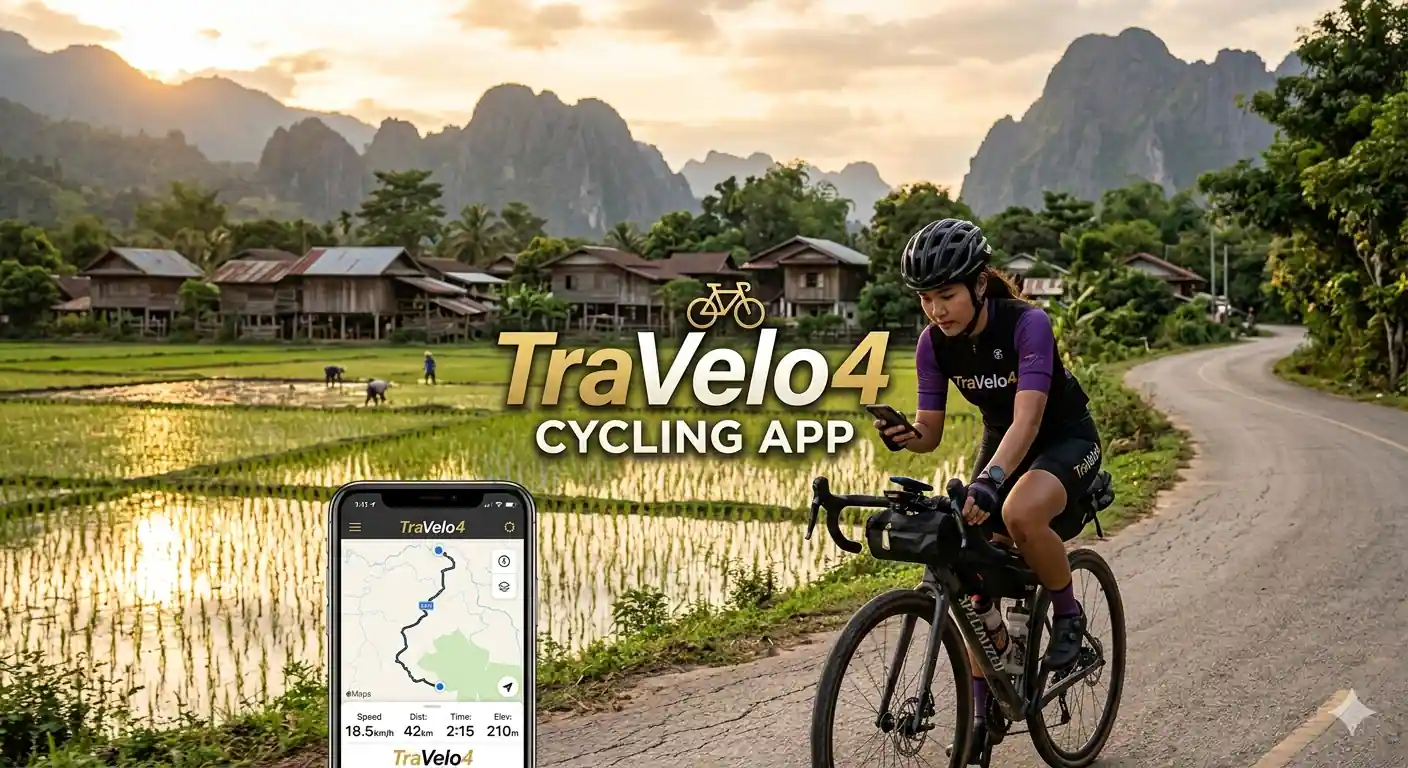
Discover Rural Thailand Through Automated Cycling Tours with TraVelo4
Exploring rural Thailand by bicycle has never been easier or more accessible thanks to the TraVelo4 app, an innovative automated cycling tour platform designed specifically for independent travelers seeking authentic experiences off the beaten path. This comprehensive guide will walk you through everything you need to know about using the TraVelo4 app to plan, navigate, and enjoy self-guided cycling adventures through Thailand's stunning countryside, traditional villages, and hidden gems that most tourists never discover.
The TraVelo4 app revolutionizes independent cycling travel by combining GPS navigation, curated routes, local insights, and automated support features into one intuitive platform. Whether you're a seasoned cyclist or a casual rider looking to explore Thailand's rural landscapes at your own pace, this app provides all the tools necessary for a safe, enjoyable, and memorable cycling adventure. From the rice terraces of Northern Thailand to the coastal plains of the South, TraVelo4 opens up a world of possibilities for cyclists seeking authentic experiences.
What Is the TraVelo4 App and How Does It Work
The TraVelo4 app is a specialized cycling tour platform designed for independent travelers who want to explore destinations on two wheels without the constraints of guided group tours. The app focuses specifically on rural and off-the-beaten-path routes, offering carefully curated cycling itineraries that showcase authentic local culture, stunning natural landscapes, and hidden attractions that typical tourist routes miss.
Core Features of TraVelo4:
- GPS Navigation: Turn-by-turn cycling-specific navigation optimized for rural roads and bike paths
- Curated Routes: Pre-designed cycling itineraries ranging from half-day rides to multi-day adventures
- Offline Maps: Download maps for offline use in areas with limited cellular coverage
- Points of Interest: Curated recommendations for local restaurants, temples, viewpoints, and cultural sites
- Accommodation Integration: Book cyclist-friendly hotels and homestays directly through the app
- Emergency Support: 24/7 emergency assistance and local contact information
- Bike Rental Partnerships: Connect with verified bike rental shops along your route
- Progress Tracking: Monitor distance, elevation, calories burned, and cycling statistics
The app works by providing you with pre-planned routes that have been tested and verified by local cycling experts. Each route includes detailed information about distance, elevation gain, difficulty level, estimated time, road conditions, and points of interest along the way. The automated features handle navigation, timing, and logistics, allowing you to focus on enjoying the ride and immersing yourself in the local culture.
Downloading and Setting Up the TraVelo4 App
Getting started with TraVelo4 is straightforward, but proper setup ensures you have the best possible experience on your cycling tours.
Step 1: Download the App
The TraVelo4 app is available for both iOS and Android devices. Visit the Apple App Store or Google Play Store and search for "TraVelo4" or "TraVelo4 Cycling Tours." The app is free to download, though some premium features and specific routes may require purchase or subscription.
Step 2: Create Your Account
Upon opening the app for the first time, you'll need to create an account. You can sign up using your email address, Google account, or Facebook account. Creating an account allows the app to save your preferences, track your cycling history, and sync your data across devices.
Step 3: Complete Your Profile
Take time to complete your cycling profile with accurate information:
- Cycling Experience Level: Beginner, Intermediate, Advanced, or Expert
- Preferred Bike Type: Road bike, mountain bike, hybrid, or e-bike
- Average Daily Distance: How many kilometers you typically comfortable cycling per day
- Fitness Level: Helps the app recommend appropriate routes
- Interests: Cultural sites, nature, photography, food, temples, local markets, etc.
This information helps the app's algorithm recommend routes that match your abilities and interests.
Step 4: Configure Settings
Navigate to the settings menu to customize your experience:
| Setting | Recommendation |
| Units | Choose kilometers or miles based on preference |
| Map Display | Enable terrain view for elevation awareness |
| Notifications | Enable turn-by-turn voice navigation |
| Offline Maps | Download Thailand maps before your trip |
| Battery Optimization | Enable battery-saving mode for long rides |
| Emergency Contacts | Add local emergency numbers and personal contacts |
Choosing Your First Rural Thailand Cycling Route
The TraVelo4 app offers numerous cycling routes throughout rural Thailand, each designed to showcase different aspects of the country's diverse landscapes and cultures.
Popular Rural Thailand Routes on TraVelo4:
1. Chiang Mai Countryside Loop (45 km)
- Difficulty: Easy to Moderate
- Duration: 4-5 hours
- Highlights: Rice paddies, traditional villages, Wat Phra That Doi Suthep views, organic farms
- Best for: First-time users, families, cultural enthusiasts
2. Pai Valley Explorer (65 km)
- Difficulty: Moderate
- Duration: Full day or 2 days
- Highlights: Mountain scenery, hot springs, tribal villages, waterfalls
- Best for: Nature lovers, photographers, intermediate cyclists
3. Sukhothai Historical Park Circuit (35 km)
- Difficulty: Easy
- Duration: 3-4 hours
- Highlights: Ancient temples, UNESCO World Heritage Site, flat terrain
- Best for: History buffs, beginners, temple enthusiasts
4. Nan Province Mountain Route (85 km)
- Difficulty: Challenging
- Duration: 2 days recommended
- Highlights: Remote mountain villages, stunning valleys, traditional Lanna culture
- Best for: Experienced cyclists, adventure seekers
5. Kanchanaburi River Kwai Route (55 km)
- Difficulty: Moderate
- Duration: Full day
- Highlights: River views, WWII history, waterfalls, jungle scenery
- Best for: History enthusiasts, nature lovers
How to Select the Right Route:
When browsing routes in the TraVelo4 app, consider these factors:
- Your Fitness Level: Be honest about your cycling ability. It's better to start with an easier route and build confidence.
- Time Available: Consider not just cycling time but also time for stops, photos, and exploration.
- Weather Conditions: Check seasonal weather patterns. Avoid rainy season routes if you're not prepared for wet conditions.
- Interests: Choose routes that align with what you want to experience—temples, nature, local food, or cultural sites.
- Bike Type: Ensure the route is suitable for your bike. Mountain routes require mountain bikes or hybrids with good tires.
Planning Your Automated Cycling Tour
Once you've selected your route, the TraVelo4 app provides comprehensive planning tools to ensure a smooth experience.
Step 1: Review Route Details
Each route includes detailed information:
- Elevation Profile: Visual representation of climbs and descents
- Road Conditions: Percentage of paved vs. unpaved roads
- Traffic Levels: Expected traffic density throughout the route
- Rest Stops: Recommended stops for water, food, and restrooms
- Bike Shops: Locations of repair shops along or near the route
- Medical Facilities: Nearest hospitals and clinics
Step 2: Download Offline Maps
Before heading out, download the offline map for your route:
- Navigate to the route details page
- Tap "Download Offline Map"
- Select the area coverage (usually automatic based on route)
- Wait for download to complete (ensure you have WiFi or good data connection)
- Verify download by opening the map in airplane mode
Offline maps are crucial in rural Thailand where cellular coverage can be spotty or non-existent in mountainous areas.
Step 3: Book Accommodations (For Multi-Day Tours)
For routes spanning multiple days, the TraVelo4 app integrates with local accommodation providers:
- Browse cyclist-friendly hotels, guesthouses, and homestays
- Read reviews from other cyclists
- Check for bike storage facilities
- Verify proximity to the route
- Book directly through the app (often with cyclist discounts)
The app recommends accommodations that understand cyclists' needs, offering secure bike storage, early breakfast options, and laundry services.
Step 4: Arrange Bike Rental (If Needed)
If you don't have your own bike, TraVelo4 partners with verified rental shops:
- Browse available bike types and models
- Check rental prices and insurance options
- Reserve bikes in advance (recommended during peak season)
- Arrange pickup location (hotel, airport, or route starting point)
- Review bike specifications and included accessories (helmet, lock, repair kit)
Step 5: Set Up Emergency Contacts
Before starting your tour, configure emergency settings:
- Go to Settings > Emergency Contacts
- Add local emergency numbers (app provides Thailand-specific numbers)
- Add personal emergency contacts (family, friends)
- Enable location sharing with emergency contacts
- Review emergency procedures specific to your route
Navigating Your Automated Cycling Tour
Once you're ready to start cycling, the TraVelo4 app's navigation features take over to guide you through your journey.
Starting Your Ride:
- Pre-Ride Checklist:
- Ensure phone is fully charged (bring a power bank)
- Verify offline maps are downloaded
- Check weather forecast
- Confirm bike is in good working condition
- Pack water, snacks, and basic repair tools
- Wear appropriate safety gear (helmet, lights, reflective clothing)
- Activate Navigation:
- Open the TraVelo4 app
- Select your chosen route
- Tap "Start Ride"
- Enable location services if prompted
- Confirm starting point matches your actual location
- Understanding the Navigation Interface:
- Map View: Shows your current position, route, and upcoming turns
- Turn-by-Turn Directions: Voice and visual prompts for upcoming turns
- Statistics Panel: Displays distance traveled, remaining distance, elevation, speed
- Points of Interest: Markers showing recommended stops along the route
- Battery Indicator: Shows phone battery level
During the Ride:
Following the Route:
- The app provides voice navigation: "In 200 meters, turn left"
- Visual arrows appear on screen indicating direction
- If you miss a turn, the app automatically recalculates the route
- Blue dot shows your real-time position on the map
- Route line shows the path ahead
Using Points of Interest:
- Tap on POI markers to see details (opening hours, descriptions, photos)
- Save favorite stops for future reference
- Add custom stops to your route
- Read reviews from other cyclists
- Check if stops are currently open
Tracking Progress:
- Monitor your distance and estimated time to completion
- Track elevation gain and current altitude
- View average and current speed
- Monitor calories burned
- Set pace alerts to maintain desired speed
Advanced Features and Tips
The TraVelo4 app includes several advanced features that enhance your cycling experience in rural Thailand.
1. Weather Integration
The app provides real-time weather updates and forecasts for your route:
- Hourly forecasts for your cycling duration
- Rain alerts and storm warnings
- Temperature and humidity levels
- Wind speed and direction (important for cycling)
- UV index recommendations
2. Social Features
- Share your route and progress with friends
- Join group rides organized through the app
- Connect with other cyclists in your area
- Post photos and reviews of routes
- Participate in cycling challenges
3. Customization Options
- Create custom routes using the route builder
- Modify existing routes to match your preferences
- Set personal waypoints and stops
- Adjust route difficulty by selecting alternative paths
- Save favorite routes for offline access
4. Safety Features
- Live Tracking: Share your real-time location with emergency contacts
- SOS Button: One-tap emergency alert with GPS coordinates
- Crash Detection: Automatic emergency alert if sudden impact detected
- Check-in Reminders: Scheduled prompts to confirm you're okay
- Route Safety Ratings: Community-reported safety information
5. Integration with Fitness Trackers
Connect the TraVelo4 app with popular fitness devices:
- Apple Watch
- Garmin devices
- Fitbit
- Strava (sync rides automatically)
- Google Fit
Practical Tips for Cycling in Rural Thailand
While the TraVelo4 app handles navigation and logistics, understanding rural Thailand cycling conditions enhances your experience.
Best Time to Cycle:
| Season | Months | Conditions | Recommendation |
| Cool Season | November-February | Dry, 20-30°C (68-86°F) | Ideal for cycling |
| Hot Season | March-May | Very hot, 30-40°C (86-104°F) | Start early morning, avoid midday |
| Rainy Season | June-October | Frequent afternoon showers | Morning rides, prepare for rain |
Cycling Etiquette in Thailand:
- Temple Visits: Dress modestly when visiting temples (covered shoulders and knees)
- Greetings: Learn the "wai" (traditional Thai greeting with pressed palms)
- Respect: Never point your feet at people or Buddha images
- Photography: Ask permission before photographing people
- Bargaining: Polite bargaining is acceptable at markets but not in fixed-price stores
Essential Gear for Rural Thailand Cycling:
- Safety: Helmet, front and rear lights, reflective vest
- Navigation: Phone with TraVelo4 app, portable power bank, phone mount
- Hydration: Water bottles or hydration pack (2-3 liters minimum)
- Repair Kit: Spare tube, tire levers, mini pump, multi-tool
- First Aid: Basic first aid kit, personal medications
- Weather Protection: Rain jacket, sunscreen, sunglasses
- Clothing: Moisture-wicking cycling clothes, comfortable shoes
Troubleshooting Common Issues
Even with the best planning, you may encounter issues. Here's how to handle common problems:
Problem: GPS Signal Lost
Solution:
- Ensure location services are enabled
- Move to open area away from tall buildings or dense tree cover
- Use offline maps which don't require constant GPS
- Restart the app if necessary
- Follow main road until signal returns
Problem: Phone Battery Draining Quickly
Solution:
- Reduce screen brightness
- Enable battery-saving mode
- Close unnecessary background apps
- Use airplane mode when not actively navigating (offline maps still work)
- Carry a portable power bank (essential for long rides)
Problem: Wrong Turn or Off Route
Solution:
- Don't panic—the app automatically recalculates
- Stop in a safe location
- Allow app to recalculate route
- Follow new directions back to original route or to destination
- If completely lost, use emergency contact feature
Problem: Bike Mechanical Issue
Solution:
- Use app to find nearest bike shop
- Use emergency contact feature for assistance
- For minor issues, use your repair kit
- For major issues, app can arrange bike pickup and transport
- Keep emergency contact numbers handy
Maximizing Your TraVelo4 Experience
To get the most out of your automated cycling tours in rural Thailand:
Before Your Trip:
- Download the app and create your account
- Complete your cycling profile honestly
- Browse available routes and read reviews
- Download offline maps for all planned routes
- Test the app with a short local ride
- Familiarize yourself with all features
- Join TraVelo4 community forums for tips
During Your Trip:
- Start early to avoid heat and traffic
- Stay hydrated and take regular breaks
- Use the app's POI recommendations
- Share your location with emergency contacts
- Take photos and leave reviews to help other cyclists
- Be flexible—adjust plans based on weather and how you feel
- Engage with locals—the app facilitates authentic experiences
After Your Ride:
- Sync your ride data
- Leave reviews for routes and POIs
- Upload photos to share with community
- Track your cycling statistics
- Plan your next route based on what you enjoyed
Cost and Subscription Information
Understanding the TraVelo4 pricing structure helps you budget for your cycling adventures:
Free Features:
- App download and basic account
- Access to select free routes
- Basic GPS navigation
- Community features
- Emergency contact setup
Premium Subscription (TraVelo4+):
- Cost: $9.99/month or $99/year
- Unlimited access to all routes
- Advanced route customization
- Offline maps for all regions
- Priority customer support
- Exclusive discounts on bike rentals and accommodations
- Advanced analytics and performance tracking
- Ad-free experience
Pay-Per-Route:
- Individual route purchases: $4.99-$14.99 depending on length and complexity
- Good option for occasional users
- Includes offline maps and full navigation
Additional Costs to Consider:
- Bike rental: $10-$30/day depending on bike quality
- Accommodations: $15-$100/night depending on type
- Food and water: $10-$30/day
- Travel insurance: Recommended ($50-$150 for trip)
- Emergency fund: Recommended $200-$500
Conclusion: Embrace Independent Cycling Exploration
The TraVelo4 app transforms how you experience rural Thailand, offering the perfect balance of independence and support. With automated navigation, curated routes, and comprehensive safety features, you can explore Thailand's stunning countryside with confidence while maintaining the freedom to discover at your own pace.
Whether you're cycling through the misty mountains of Northern Thailand, exploring ancient temples in historical parks, or riding along peaceful rice paddies, the TraVelo4 app ensures you never miss a turn while leaving room for spontaneous discoveries and authentic cultural encounters.
The beauty of automated cycling tours lies in their ability to handle logistics while you focus on the experience—the smell of jasmine rice in rural villages, the warmth of local hospitality, the breathtaking views from mountain passes, and the satisfaction of completing a challenging ride through some of Southeast Asia's most beautiful landscapes.
Download the TraVelo4 app today, plan your first rural Thailand cycling adventure, and discover a side of Thailand that most tourists never experience. The open road, stunning scenery, and authentic cultural experiences await. Happy cycling!
For more Thailand travel tips and cycling route recommendations, check out The Ultimate Thailand Travel Guide 2026 and 50 Essential Tips for First-Time Travelers to Thailand.
0 Comments